Requires setup. Works as shown.
nötkey
Control what your device reveals.
Two fully independent environments. One to show. One to protect.
Not every situation gives you a choice.
When this matters
Built for real situations, not just theory
Nötkey is designed for moments where control over what your phone reveals actually matters.
Travel
When you're traveling, access may be requested, expected, or difficult to avoid. Nötkey gives you clearer control over what your device reveals.
Shared visibility
Sometimes a phone is handed over, borrowed, checked, or used in front of others. Nötkey lets the visible environment already be the right one.
Everyday boundary control
Not every situation is extreme. Sometimes you just want a stronger boundary between what you show and what stays private.
Why it matters
Your phone contains your entire life
Messages, photos, contacts, work accounts, travel history, financial apps, authentication tools. Most phones keep all of it in one place.
In some situations, that is fine. In others, it means unlocking your device exposes far more than you intended.
Nötkey is built for moments where one phone environment is not enough.
The solution
Separation creates control
Nötkey creates two fully independent phone environments on one Android device: one for everyday visibility, one for what remains private.
This is not app hiding or a cosmetic layer. Public and Private are separate environments with separate apps, separate accounts, and separate data.
You decide what is visible. You decide when to switch.
The two environments
Public Profile. Private Profile.
Nötkey creates two distinct environments on a single Android device. Each is fully independent — separate apps, separate accounts, separate data.
The everyday environment
The default environment. Install normal apps, manage routine communications, and maintain a realistic everyday phone experience suitable for presentation during routine or inspection.
- —Normal apps and accounts
- —Safe to present when asked
- —Default environment on startup
The isolated environment
A separate, isolated environment for sensitive apps, accounts, and communications. Its apps, data, and accounts are not visible from the Public Profile. You switch into it deliberately.
- —Isolated from Public Profile
- —Separate apps and accounts
- —Accessed by manual switch only
Profile switching is manual. You initiate it through the Nötkey app. The device locks, and upon unlocking, you enter the selected environment.
How it works
How it works
Switching moves you between two fully separate environments on the same device.
Two environments
Not hidden apps. Not locked files. A completely separate device experience.
Switching
One action. Everything changes.
Control
You decide what exists in each environment before it matters.
Why not just hide apps?
Hiding apps assumes someone won't look deeper.
Nötkey doesn't hide anything.
It replaces the entire visible environment.
Important
Device Owner requires a factory reset
Full profile separation requires Nötkey to be set up as Device Owner. Android only allows this during the initial setup of a freshly reset device. This is a genuine system requirement — it cannot be bypassed.
A factory reset permanently erases all data on your device. Back up everything you want to keep before starting. Guided. Structured. Takes a few minutes to begin.
A public environment that holds up
- —Messages that look lived-in
- —Call history that makes sense
- —Apps that behave normally
Not empty. Not staged. Believable.
Subscription
Four tiers
Nötkey has two parts:
- —Setup — enables full separation
- —Subscription — expands capability
Full environment control requires setup.
- —App access
- —Basic Public Profile
- —Evaluate before setup
No factory reset required.
- —Device Owner provisioning
- —Public + Private Profile
- —Profile switching
- —Emergency wipe
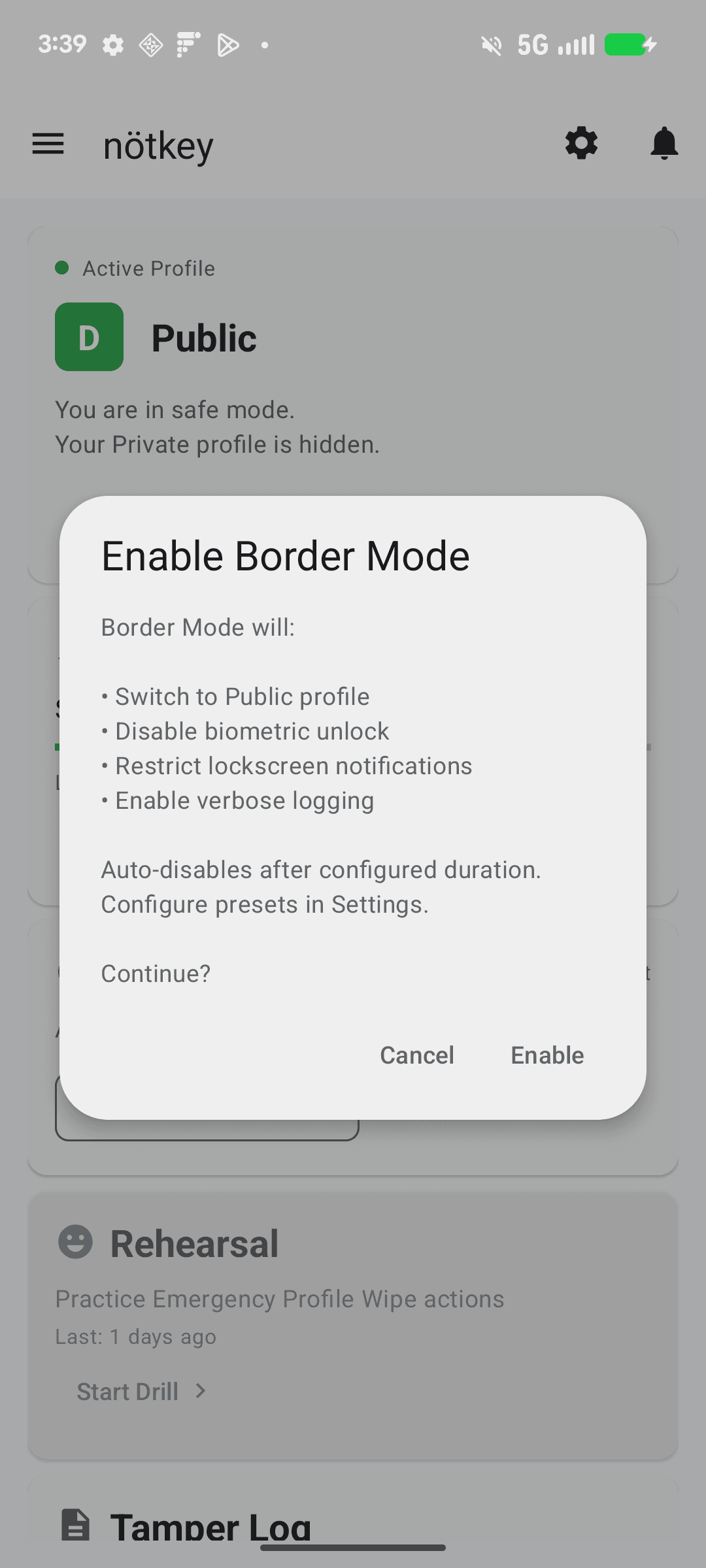
- —Border mode
- —Private Access
Factory reset required.
- —All Guardian features
- —Additional monitoring
- —Enforcement visibility
Factory reset required.
- —All Sentinel features
- —Fully realized public environment
- —Pre-seeded data and behavior
Factory reset required.
Honest limits
What Nötkey does not do
The degree of protection depends on your usage, your device model, and circumstances outside the app's control. You are responsible for determining whether this tool is appropriate for your situation.
Nötkey controls what is presented. It does not change how your device fundamentally works.